
When I saw that the development cycle of other emulators would often take a full year to publish a new release, I was shocked. I swore I would never do that with my own emulator and instead aimed for a ~3-month release cycle. It is therefore my pleasure to announce Hades v1.1.0, only 1.5 years after the first (and last) release 😁
You can download this new release by following the instructions here.
Here’s a short summary of all the new features 👀
⚙️ A complete redesign of the settings panel #
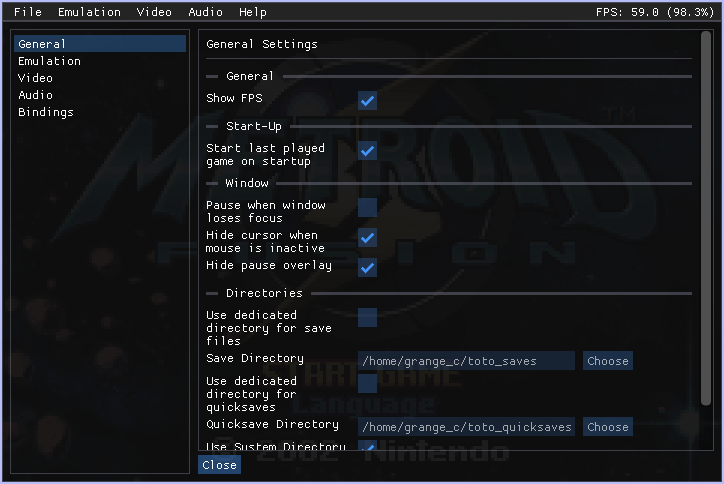
The settings panel received a massive overhaul, with many new settings and existing ones tweaked or slightly modified to make more sense. Most of the settings that were originally accessible via the menubar are now available directly in the settings panel.
This includes:
- Keybinds now support the Ctrl, Alt and Shift modifiers
- An alternative emulation speed that you can easily toggle
- Keybinds to quickly save/load the emulator’s state on any of the 10 available slots
- Fullscreen mode
- Dedicated directories for saves, quicksaves and screenshots.
WARNING: Some of your existing settings or keybinds may be reset to their defaults when upgrading to Hades 1.1.0. Sorry!
👓 No need for glasses with High-DPI Support #
If you have a high-DPI display, rejoice! Hades now fully supports whatever content scaling you’ve configured in your operating system’s settings.
On top of that, you can always override the auto-detected scaling factor in the settings if you want to make sure the interface looks juuust right.
🖥️ A new foe has appeared: Fullscreen mode #
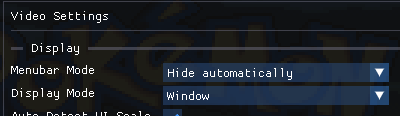
This release also adds a long-awaited feature: fullscreen mode, along with a companion feature that pairs nicely with it: the ability to automatically hide the menubar after the mouse has been inactive for a few seconds.
With both features enabled, you can enjoy true fullscreen adventures without losing the ability to tweak your settings when needed 😎
🎮 Let’s get ready to RUMBLE! #
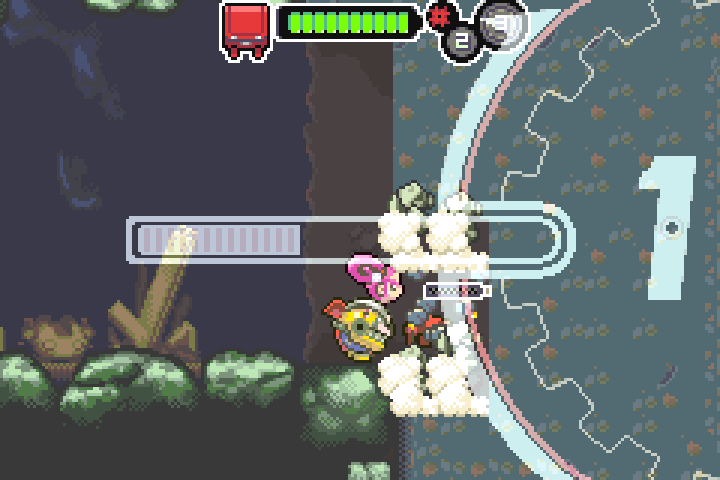
This release adds support for a new GPIO device: rumble! If you’re a fan of Drill Dozer, you’ll be able to use your favorite controller’s rumble feature while playing the game. Yay!
📈 Accuracy & Performance Improvements #
Accuracy remains a core goal of Hades, and there have been several improvements in that area. It would take too long to describe them all in detail, but the biggest gains are related to CPU timing: specifically, how long each operation takes and the delays between them.
On the performance side, two new features help you reach your desired FPS:
- The ability to disable the prefetch buffer (
Settings → Emulation → Emulate the Prefetch Buffer) - The ability to skip frames entirely for hyper-speed gameplay (
Settings → Video → Enable Frame Skip)
Note that disabling the prefetch buffer may affect accuracy in some games.
💾 Import and Save Files Easily #
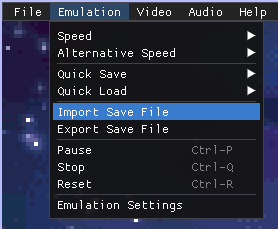
Another small feature added in this release is the ability to easily import and export save files!
You no longer need to know where Hades stores its save files, it’s now easier than ever to download a save file from the internet and import it into Hades, or to share your own saves with friends.